Getting started with Open Source Software
Being up-to-date and avoiding conflicts

Have you ever wondered how you could collaborate with open-source projects, but you didn't know how to start? It couldn't be easier. Take a look:
- Fork the repository into your account
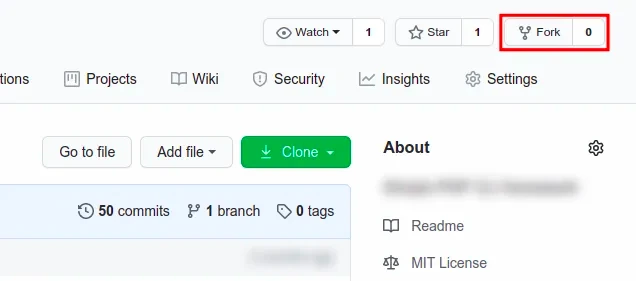
- Clone the forked project on your computer
git clone [email protected]/myself/forked.git- Add the upstream to sync with the new changes to your project
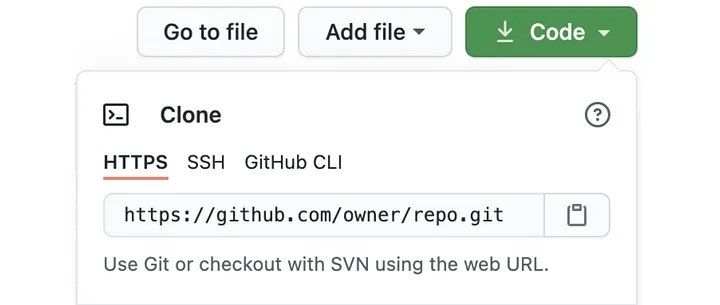
(master)$ git remote add upstream https://github.com/owner/repo.git
# If you run `git remote -v` you should see:
origin [email protected]:myself/forked.git (fetch)
origin [email protected]:myself/forked.git (push)
upstream [email protected]:owner/repo.git (fetch)
upstream [email protected]:owner/repo.git (push)
Get the last changes in your project (not necessary if you just forked the project).
(master)$ git fetch upstream master
(master)$ git merge upstream/master- Create a new branch
(master)$ git checkout -b new-branchOnce you're done, let’s create a PR!
(new-branch)$ git add . # Add to git your changes
(new-branch)$ git commit -m ‘Type the commit message’
(new-branch)$ git push origin new-branch # Push in forked & origin- If you get errors trying to push your last changes, add your SSH credentials
(master)$ git remote set-url origin [email protected]:myself/forked.gitThat's all!
If your changes (or someone else’s) have been merged in the origin, you need to run fetch upstream master and git merge upstream/master in master to be up-to-date!

Summary
# Synchronize your local repository to the original one
# Need to run only once the first time
git remote add upstream [email protected]/owner/repo.git
# Get all changes from sync project into upstream branch
git fetch upstream master
# Merge upstream branch into your current branch
git merge upstream/master